

Introducing the New Bank Payment Service
Introducing the New Bank Payment Service
Stake Casino has introduced a convenient new bank payment service that lets you deposit and withdraw directly from your bank account in Japan.
Deposits in Japanese yen usually take 1 business day, and withdrawals can take up to 3-5 business days.
Bank transfer steps
① Account verification
To use the Japanese yen service, Level 2 identity verification (submitting a driver’s license or passport) is required.
You can check your verification status under “Settings” > “Verification” in your account.
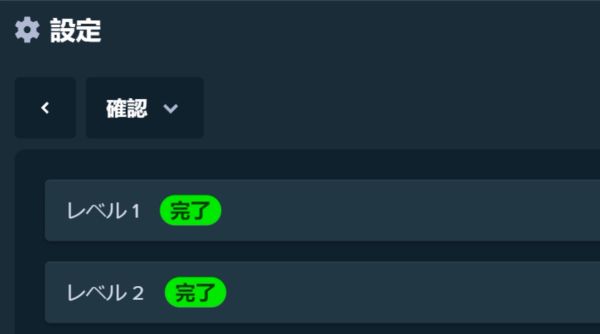
● If you entered your Level 1 verification details in Japanese: please submit your driver’s license.
● If you entered your Level 1 verification details in English: a passport is required.
If you would like your KYC verification to be sped up, please contact Customer Support.
② Start the deposit process
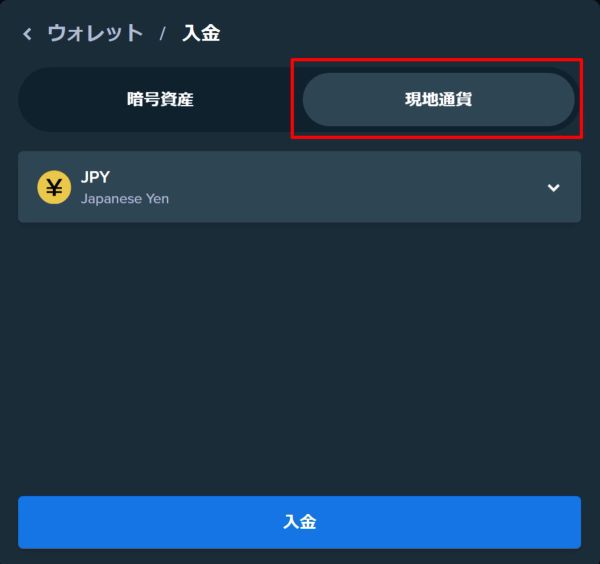
From the “Deposit” tab in the “Wallet,” select “Local currency” → “Deposit.”
③ Select your bank
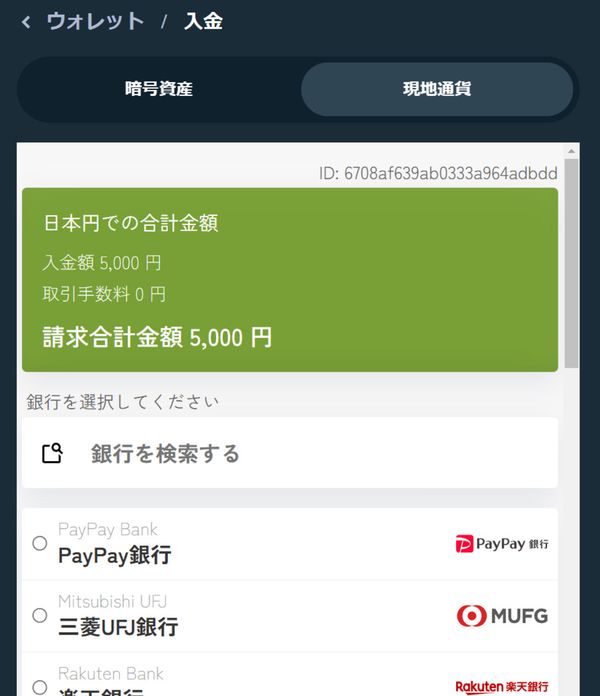
After entering the deposit amount, click “Set amount.” Search for your bank or select it from the list.
④ Transfer from your own bank account
Direct deposit is currently available as a deposit method.
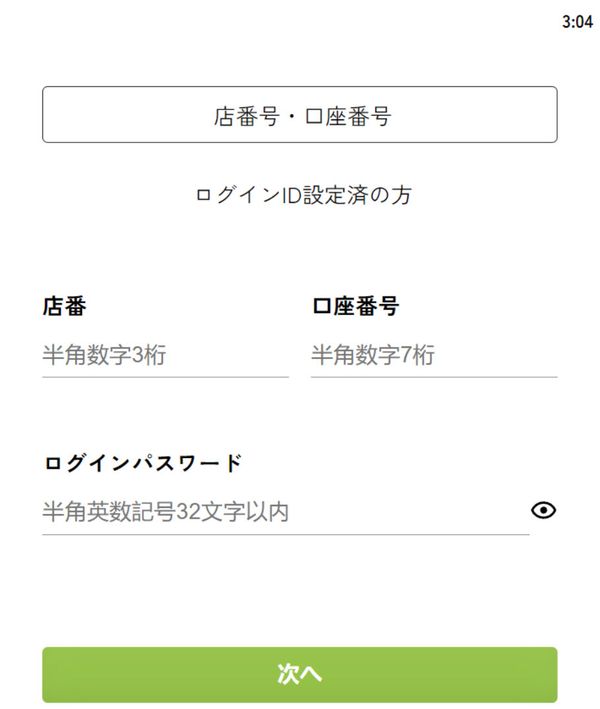
Direct deposit
Enter your bank’s branch number, account number and login password, and complete the deposit on your bank’s website.
Things to note when depositing
Please do not submit a request without making the deposit.
Please avoid submitting multiple requests for the same amount within a short period
Please complete the transfer within the specified time (The transfer time is displayed during direct deposit.)
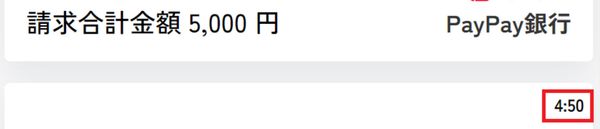
⑥ Transfer complete
After the transfer is completed, it usually takes about 1 business day for the amount to be reflected in your account.
If it is not reflected after more than 1 day, please contact Customer Support with the statement from your banking app.
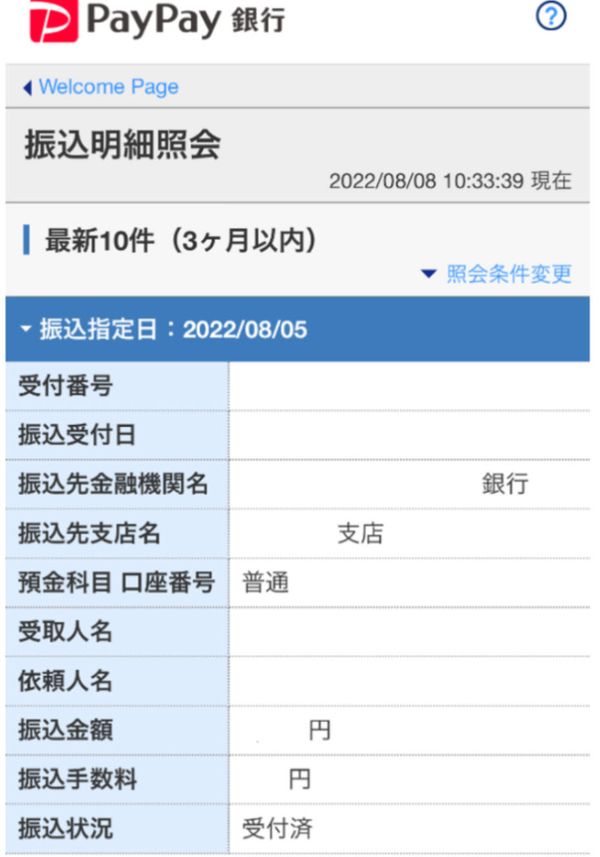
Withdrawal steps
Note: Please make sure you withdraw to a bank account in your own name.
① Register your name
From the Wallet tab, select “Withdraw,” enter the name registered with your bank in full-width katakana, and click the “Submit” button.
Note: If your name contains lowercase letters, please convert them to uppercase when entering it.
Example: ステイク リヨウヤ
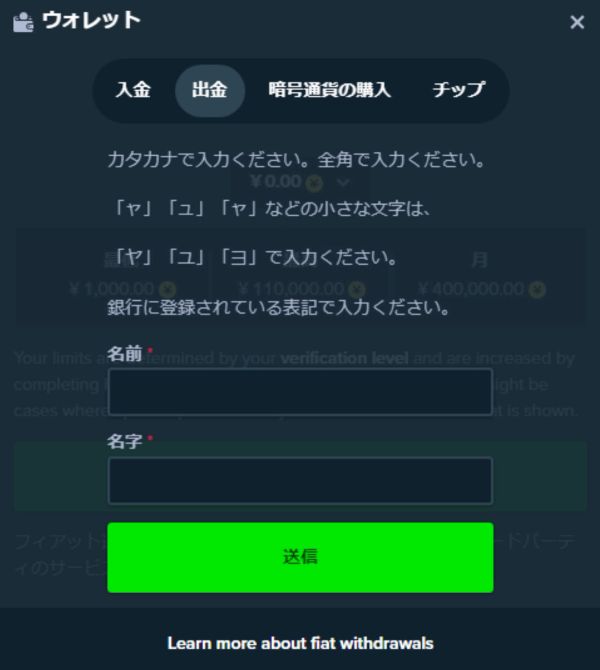
② Start the withdrawal process
After pressing the “Submit” button, go to “Withdraw” in the “Wallet” tab and select “Local currency” → “Withdraw.”
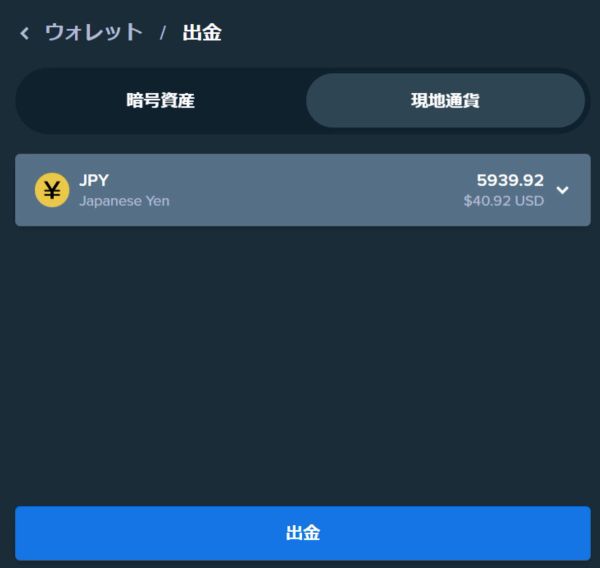
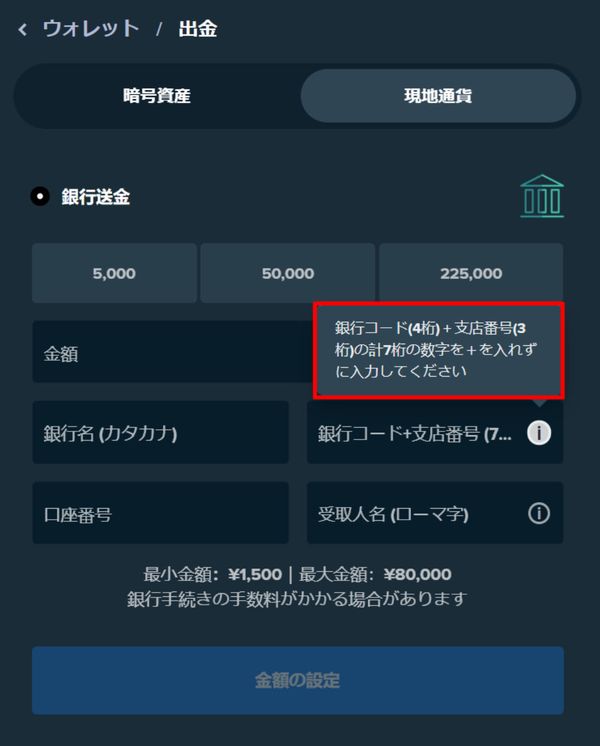
③ Enter the withdrawal amount and destination account details
- Withdrawal amount
- Bank name (in katakana)
- Bank code and branch number (Note: Symbols such as + are not needed. Enter the numbers only, one after the other)
- Recipient name (in Roman letters)
After entering everything, click “Set amount.”
Note: Input errors may cause significant delays or failures in your withdrawal. If you run into any problems during the process, please contact Customer Support.
④ After the withdrawal is complete
It can take up to 3-5 business days for the withdrawn amount to be reflected in your bank account. If you still cannot see your withdrawal after 3-5 business days, please contact Stake Customer Support.
Frequently asked questions
1. Q: I want to increase my deposit limit
A: Unfortunately, the limit cannot be changed.
2. Q: Is there a limit on the number of deposits and withdrawals?
A: There is no limit on the number of deposits. If you run into an error when depositing or withdrawing, please feel free to contact Customer Support.
3. Q: What are the fees for bank transfers?
A: The fees set by your bank apply and the amount varies, but Stake Casino does not charge any fees.